
Account Setup
Follow these steps to create your LazyChat account and start using the platform.
Step 1: Open the account setup page
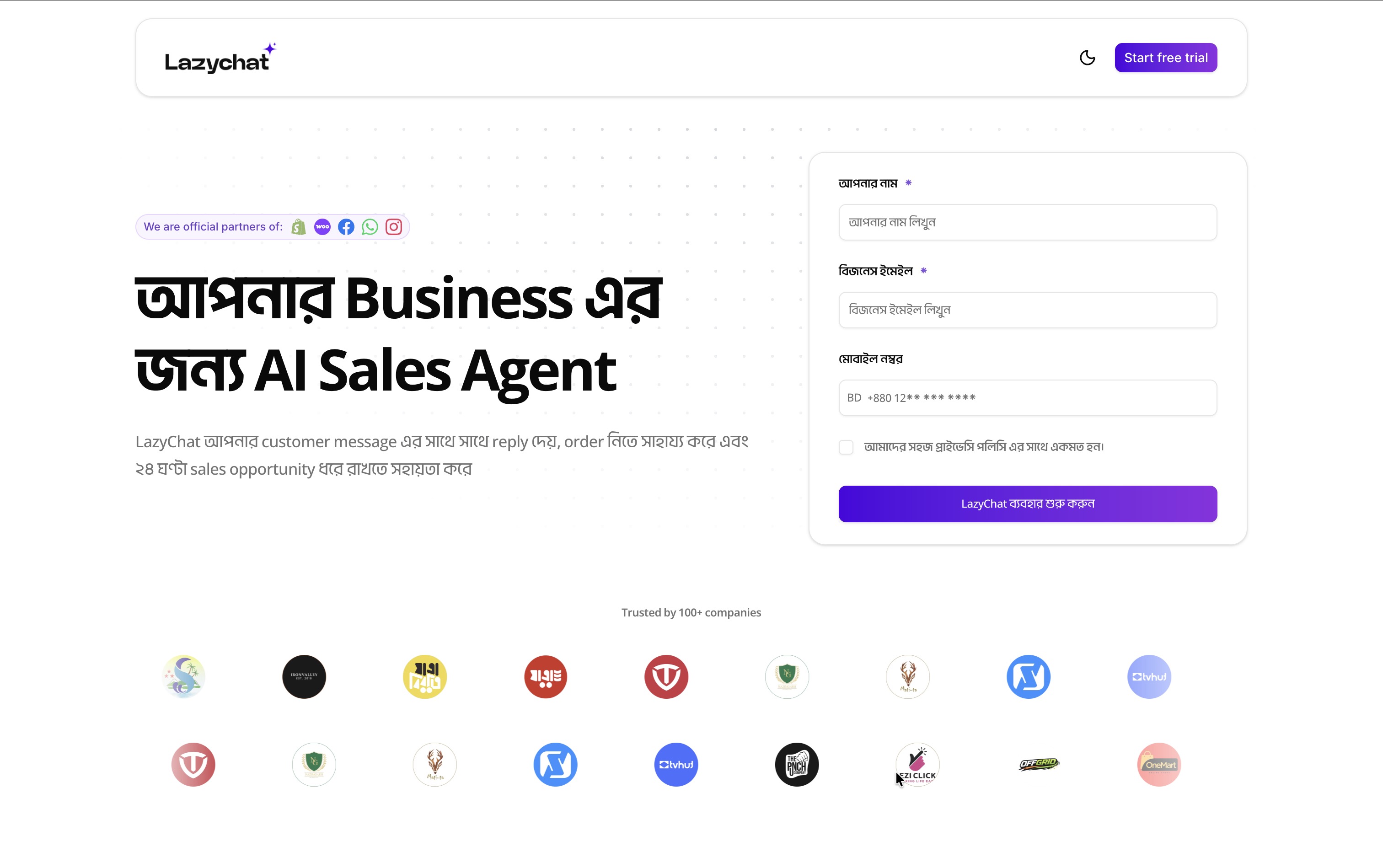
On the LazyChat landing page, fill in:
- Your name
- Business email
- Mobile number
Then accept the privacy policy and click LazyChat ব্যবহার শুরু করুন / Start using LazyChat.
Step 2: Enter customer information
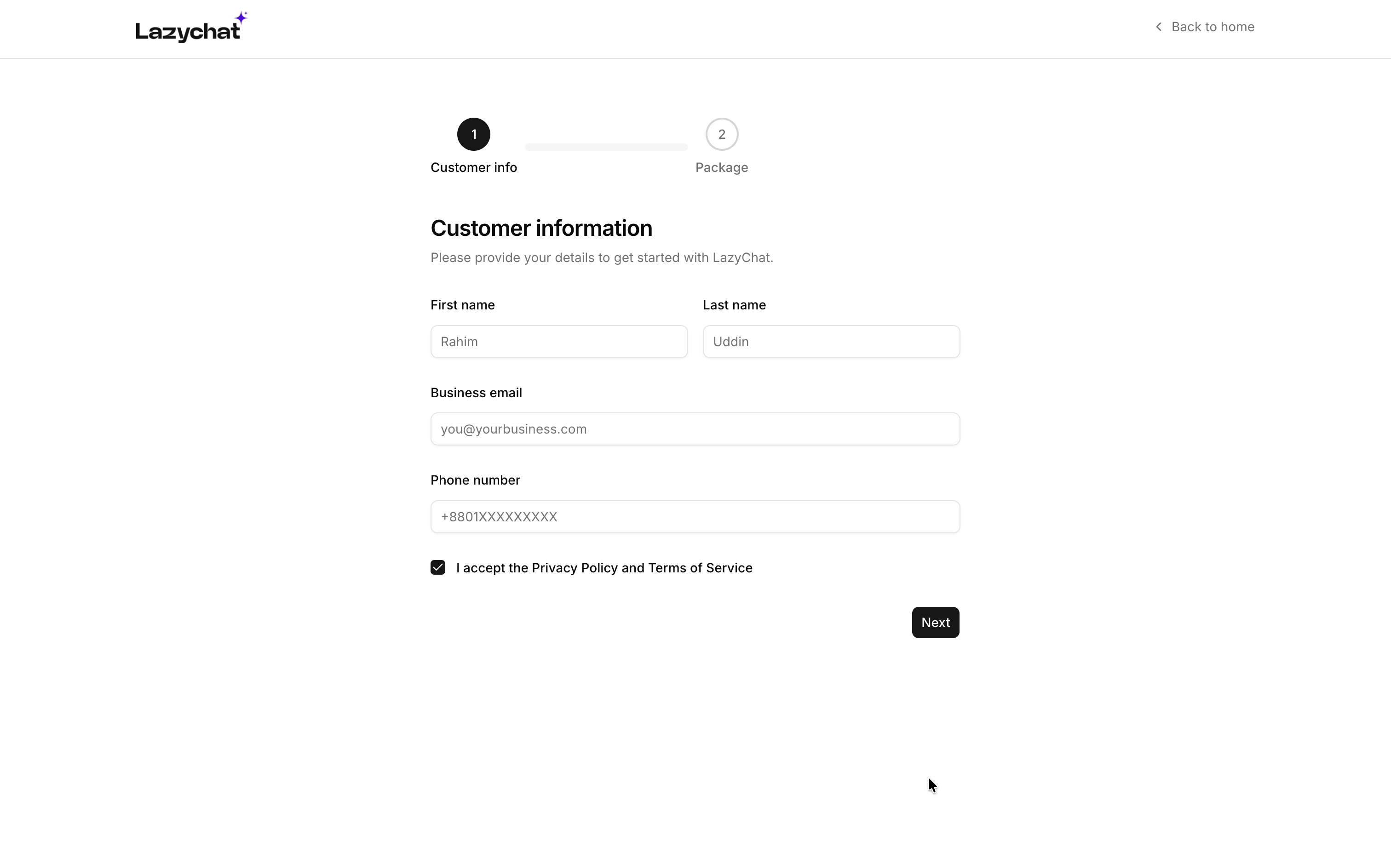
On the Customer information page, provide:
- First name
- Last name
- Business email
- Phone number
Then accept the Privacy Policy and Terms of Service and click Next.
Step 3: Choose your package
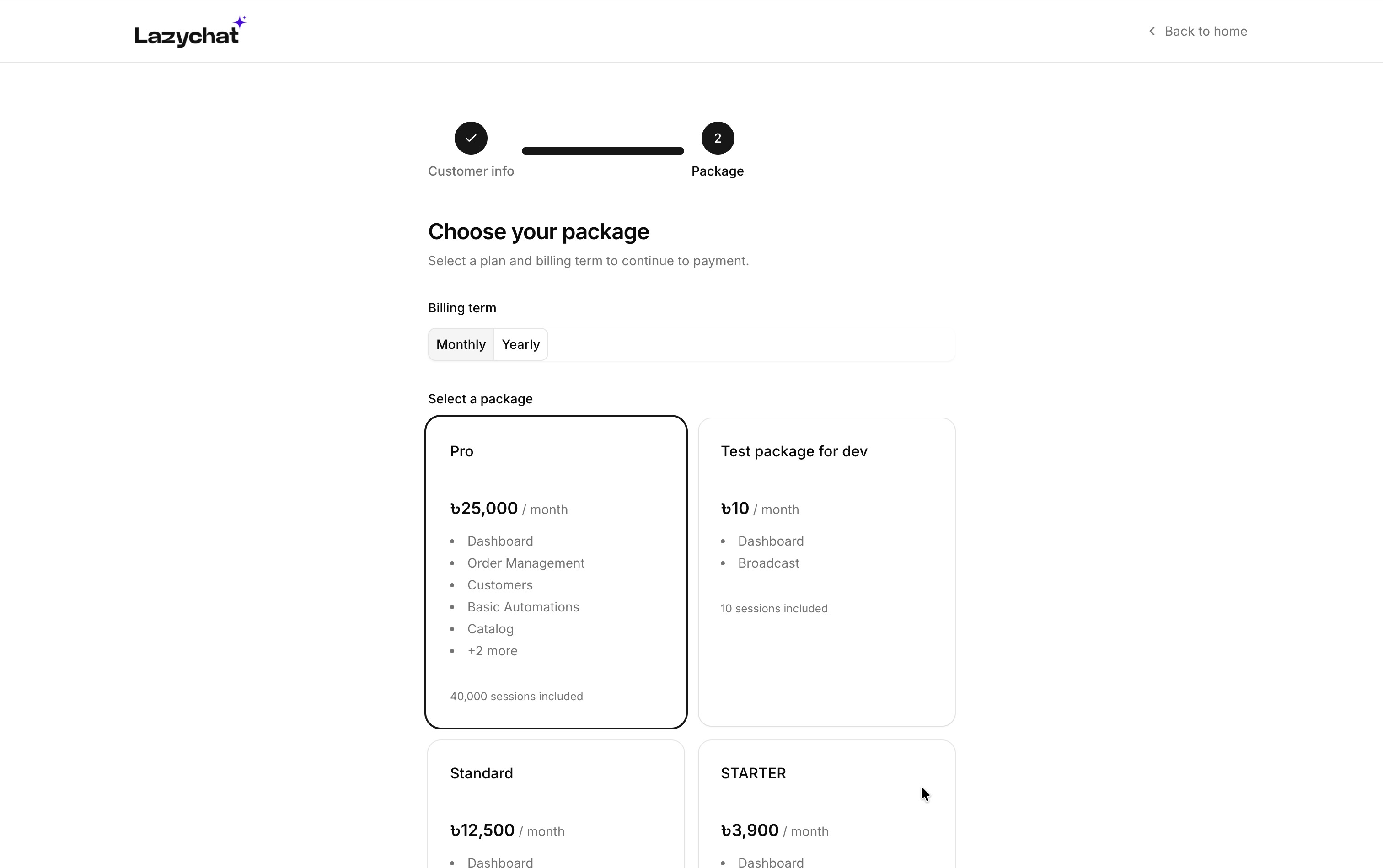
On the Choose your package page:
- Select the billing term
- Choose the package you want to purchase
Then continue to payment.
Step 4: Complete payment
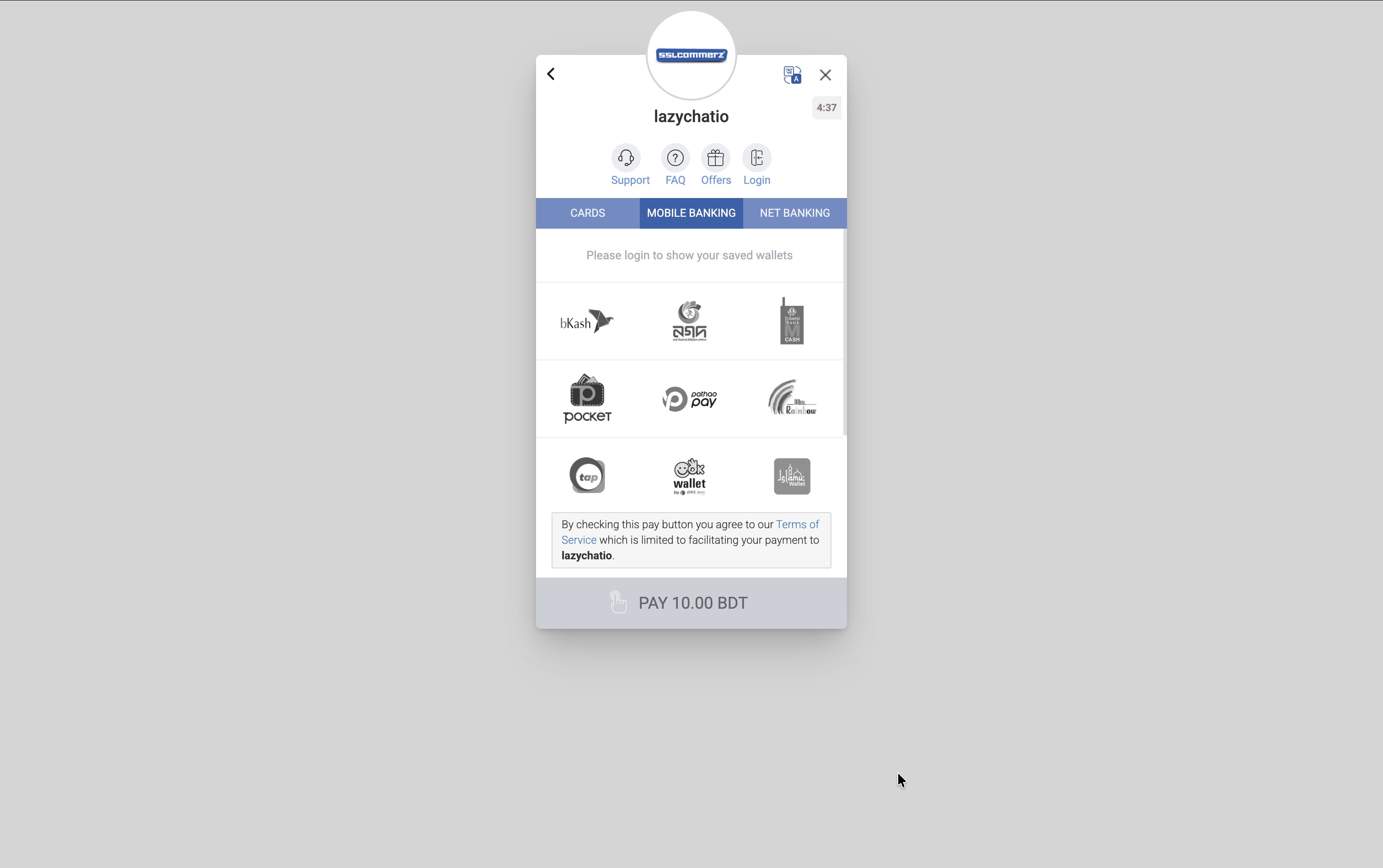
Choose your preferred payment method and complete the payment.
Step 5: Confirm successful payment
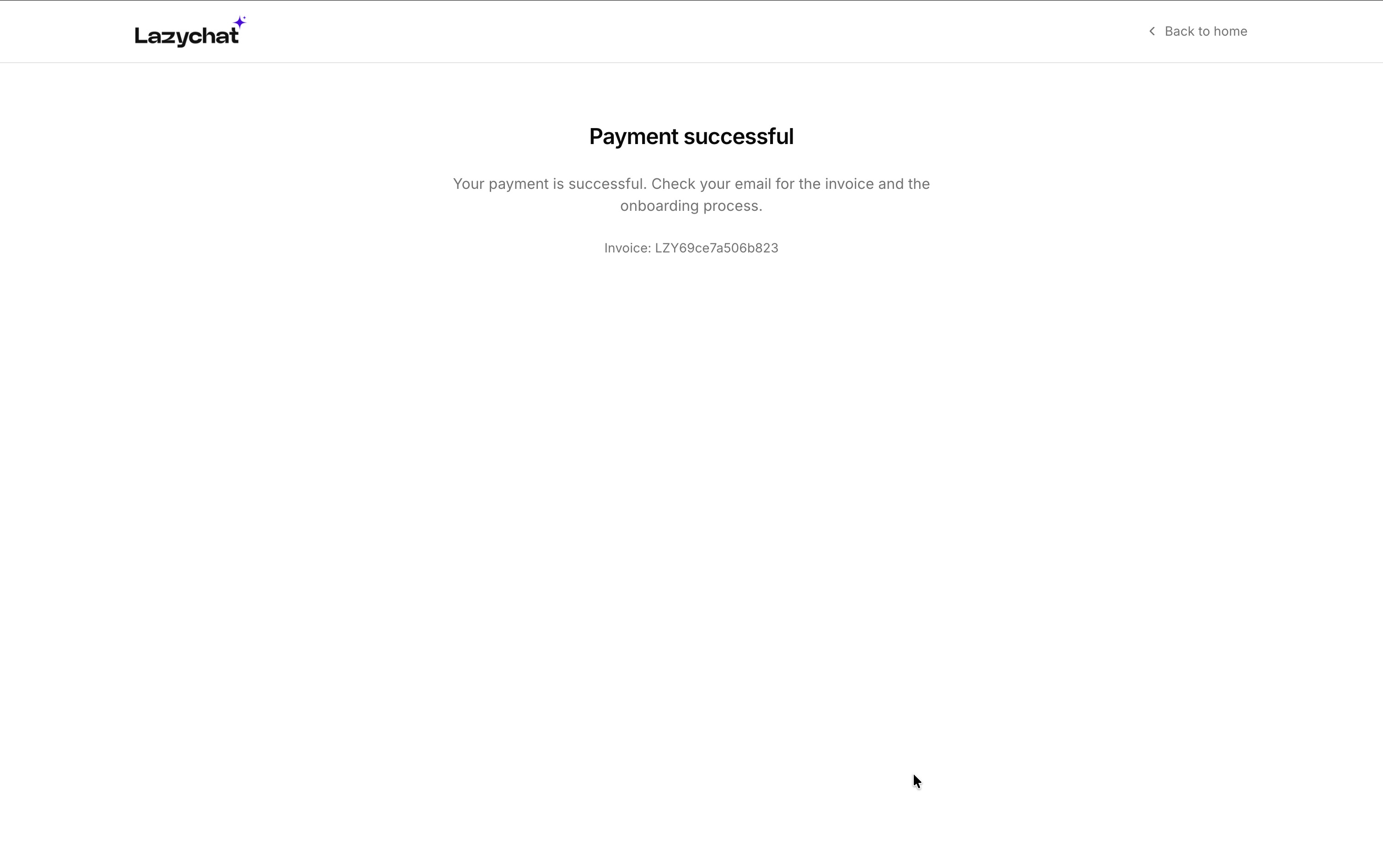
After payment, you will see the Payment successful screen along with the invoice ID.
Your payment has been completed successfully. Check your email for the invoice and onboarding details.
Step 6: Check your email for login details
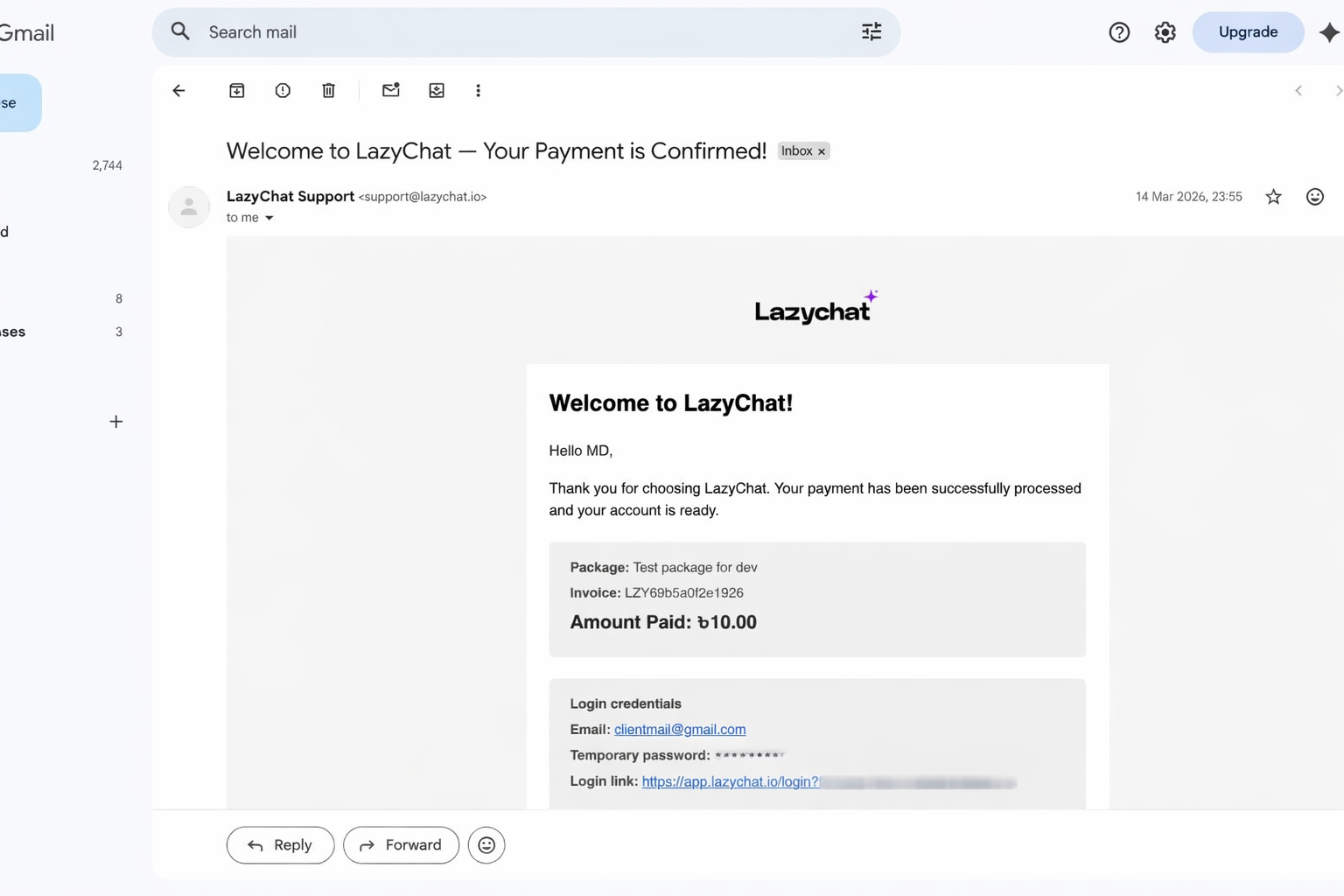
You will receive a confirmation email containing:
- Package name
- Invoice ID
- Amount paid
- Login email
- Temporary password
- Login link
Use these credentials to log in to your LazyChat account for the first time.
Final Note
- Keep your temporary password secure
- Check your email inbox after payment to access your account
- If you do not find the email, check your Spam or Promotions folder