Integration
Meta Business Suite Integration with LazyChat
Step-by-step guide to connect Meta Business Suite with LazyChat.
Last updated: 31st March,2026
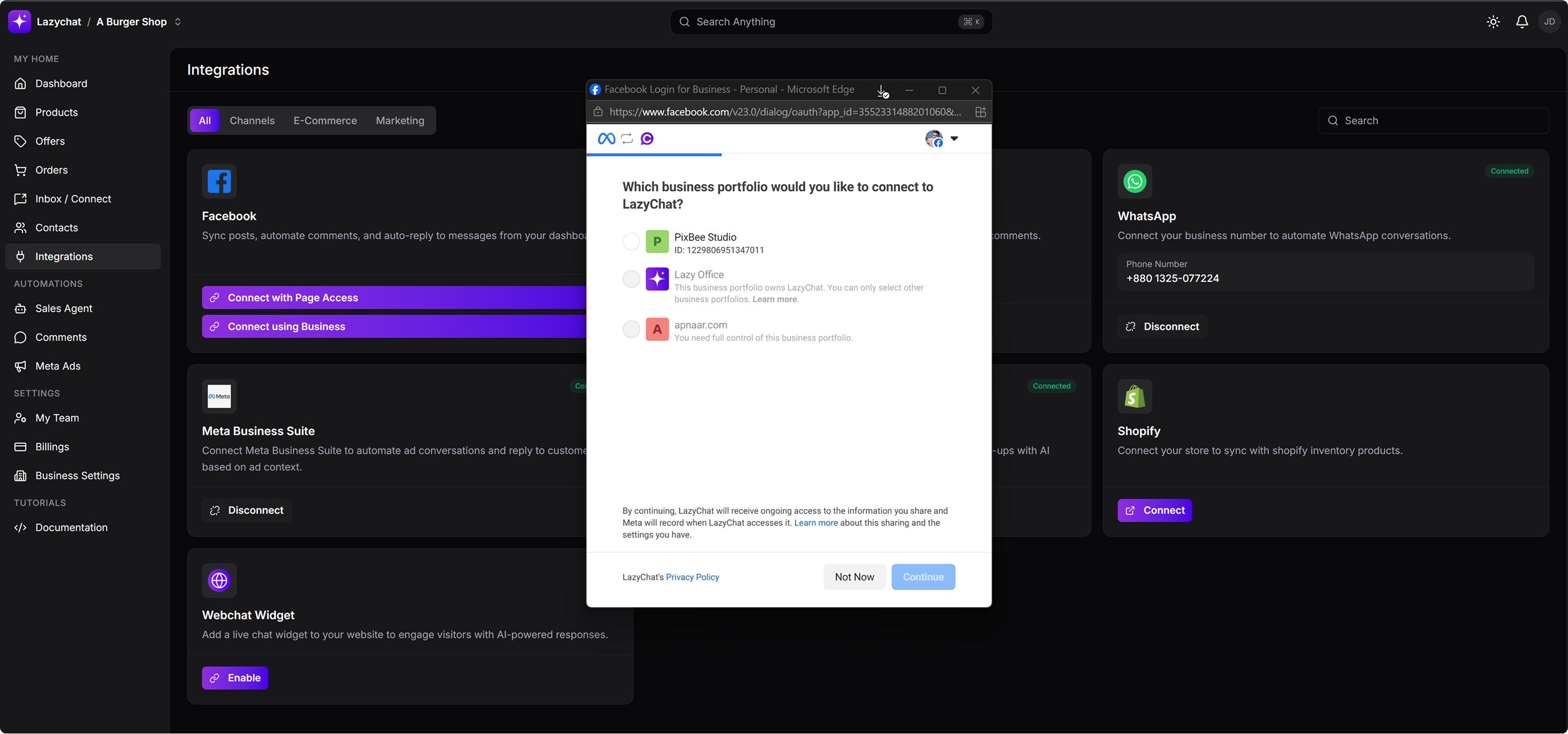
- In the Meta popup, choose the business portfolio you want to connect to LazyChat.
- Click Continue.
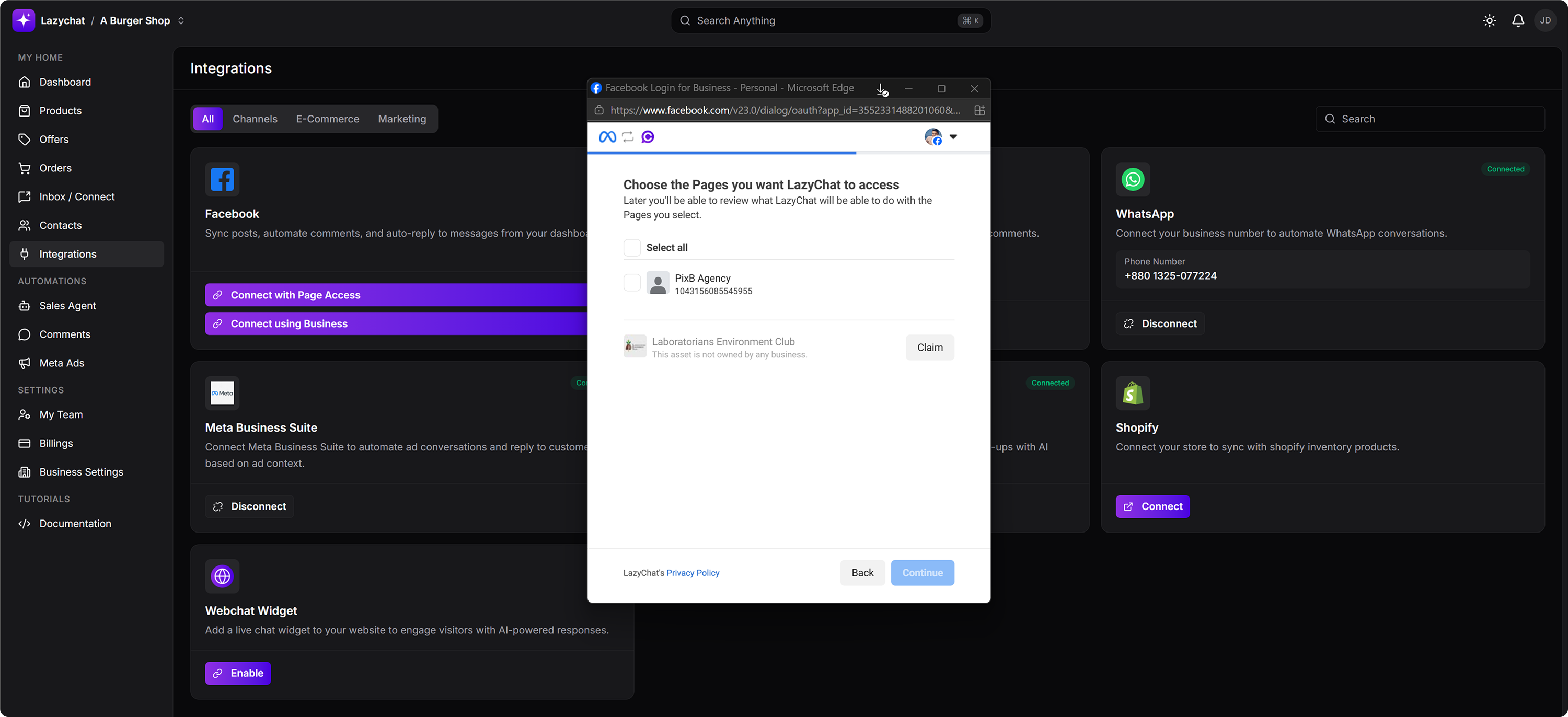
- On the screen Choose the Pages you want LazyChat to access, select the Facebook Page you want to connect.
- Click Continue.
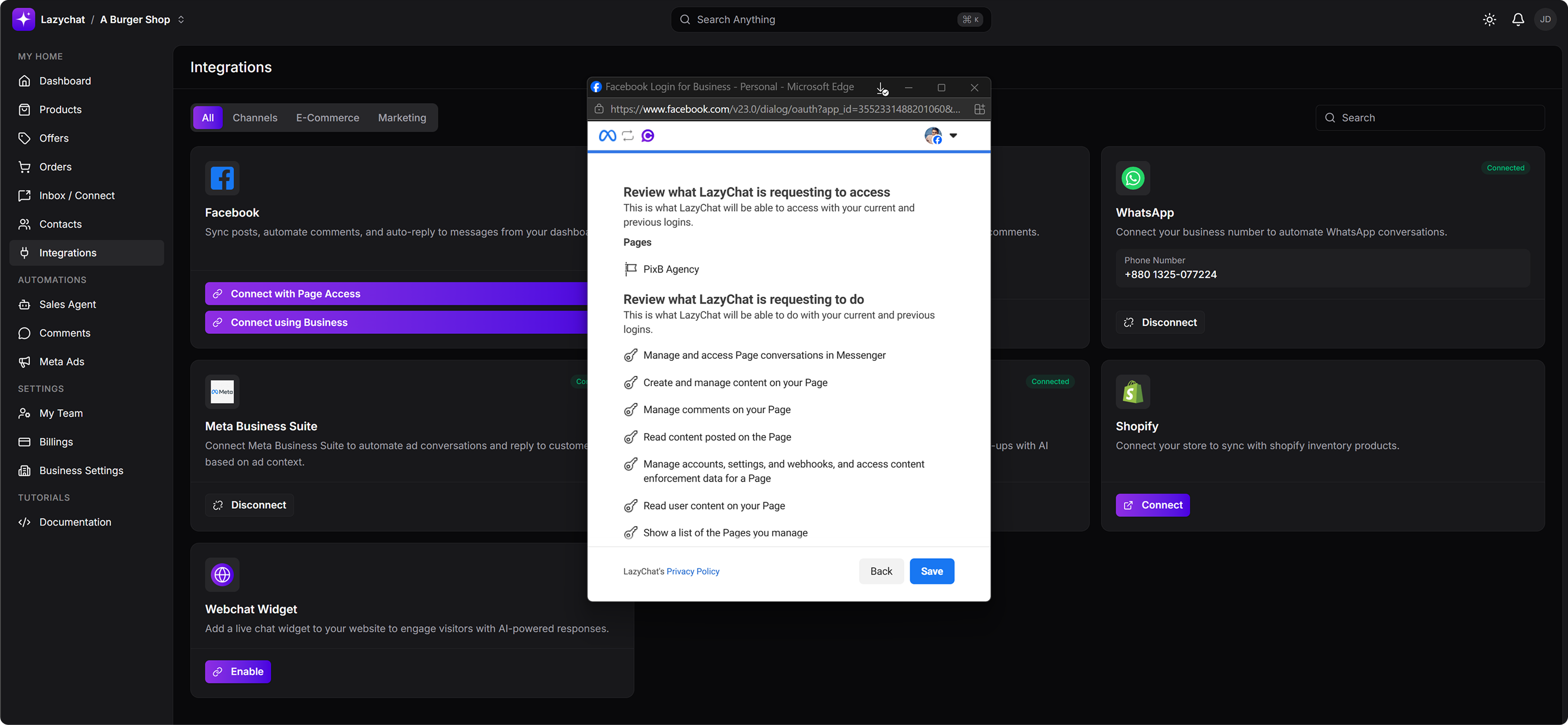
- Review the permissions requested by LazyChat.
- Then click Save.
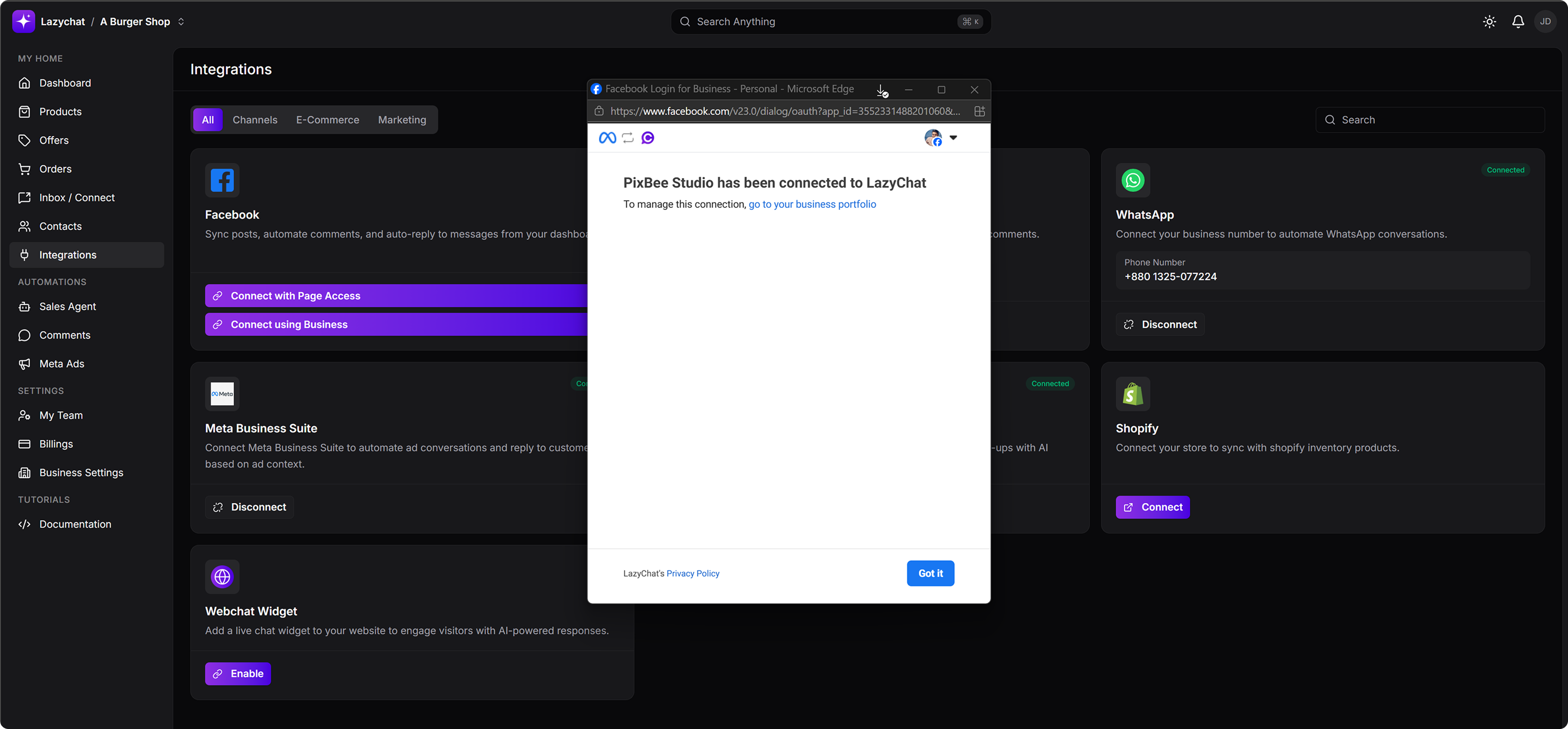
- After approval, you will see the confirmation message:
[Your Page Name] has been connected to LazyChat
- Click Got it.
- Make sure you select the correct business portfolio and Facebook Page before confirming.
- Once connected, LazyChat can use Meta Business Suite permissions based on the approved access.