
Steps to Connect Instagram
Step 1: Open Instagram integration inside LazyChat
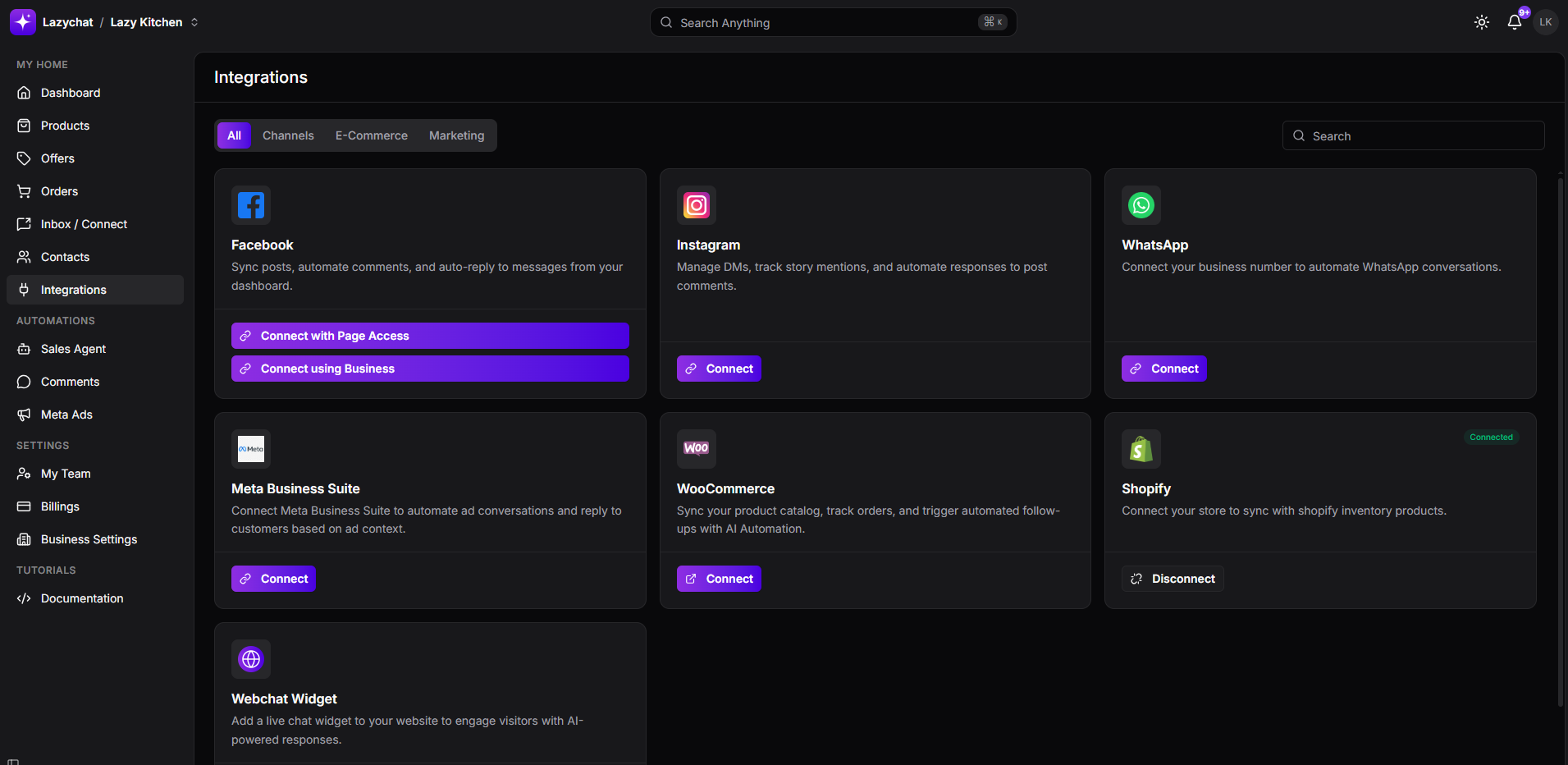
- Go to Integrations.
- Find the Instagram card.
- Click Connect.
Step 2: Authorize Instagram access
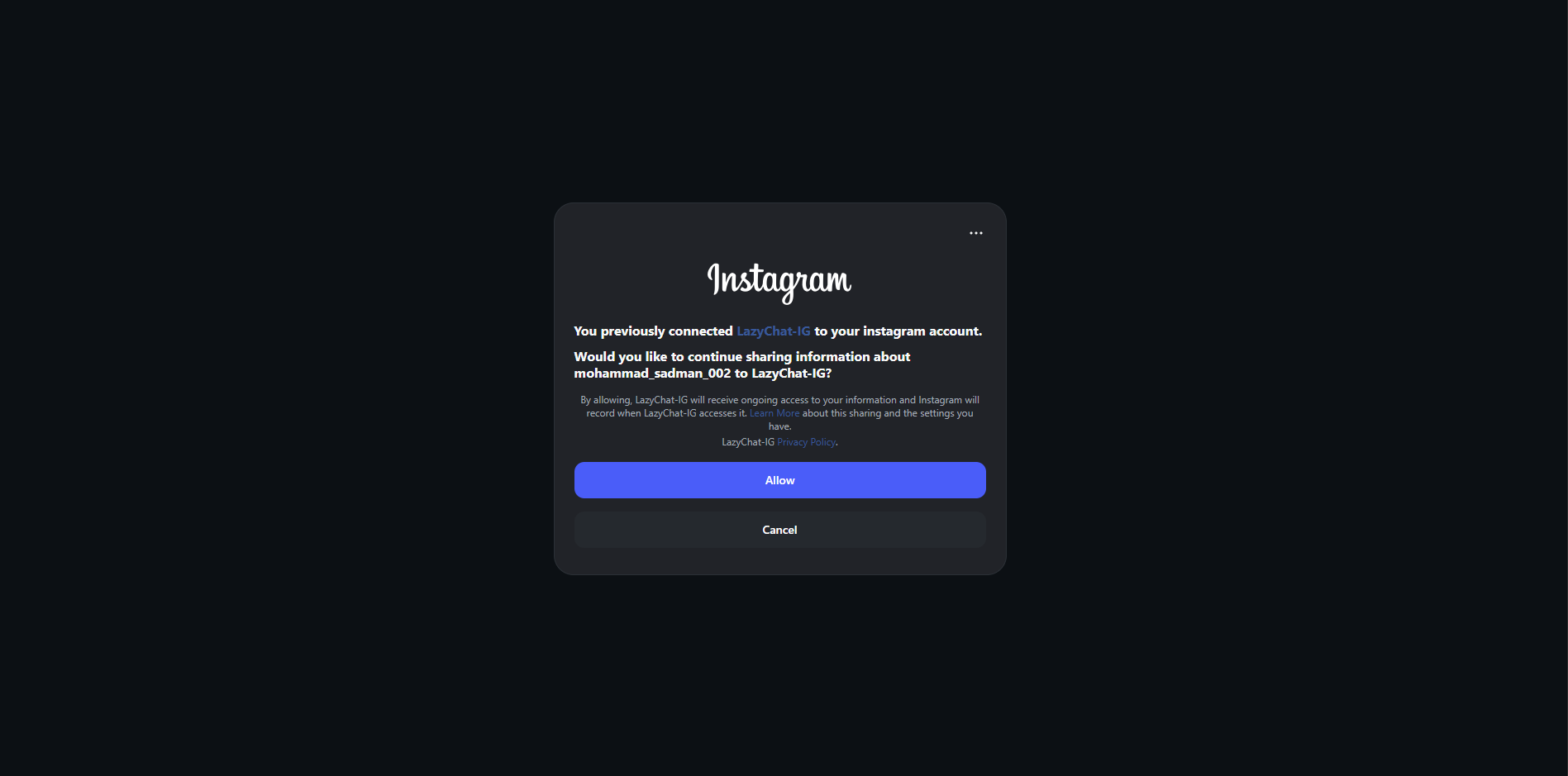
- An Instagram authorization popup will appear.
- Review the account access request.
- Click Allow to continue sharing your Instagram account information with LazyChat.
If you do not want to continue, click Cancel.
Step 3: Confirm successful connection
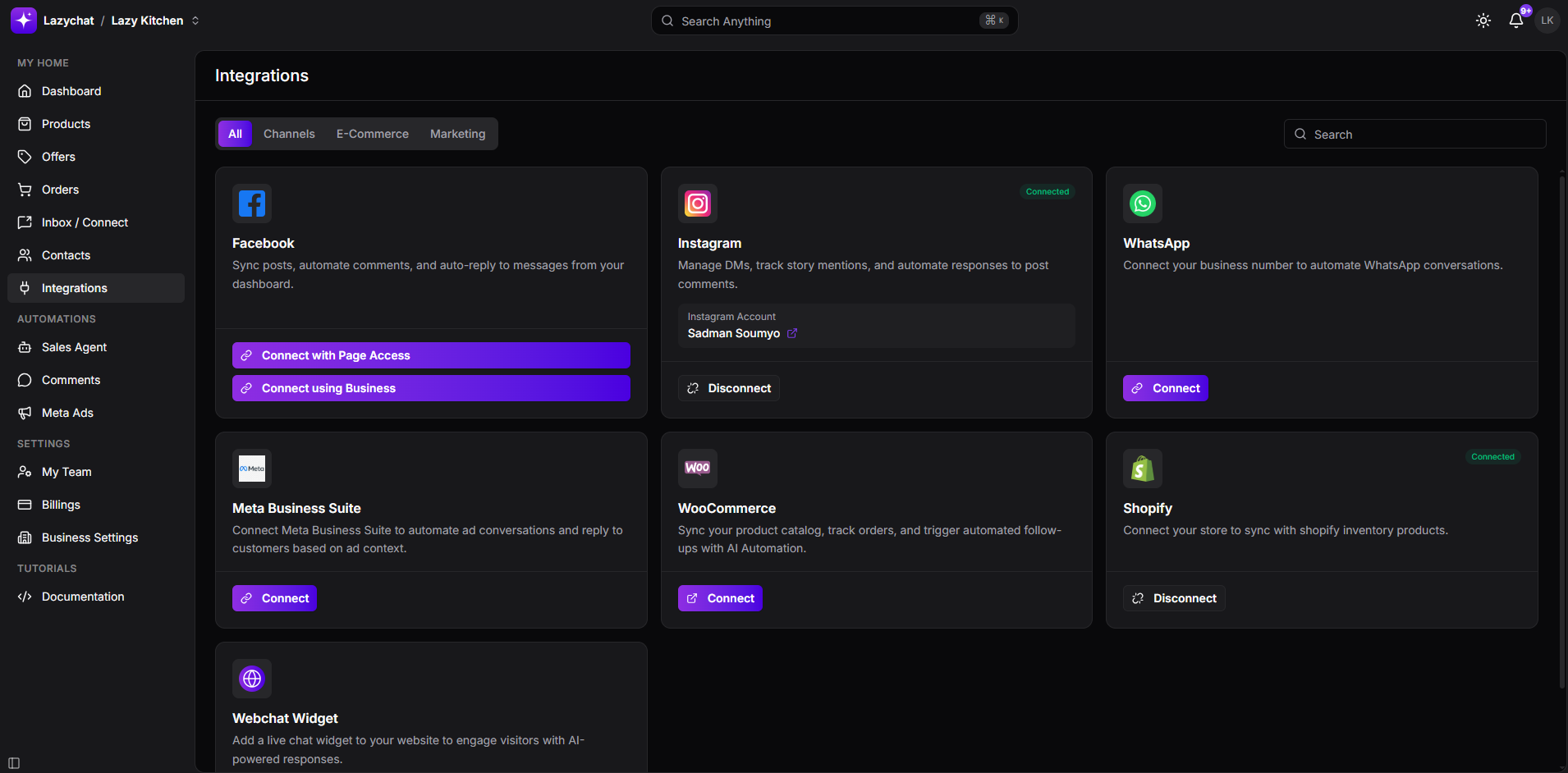 After authorization is completed, go back to the Integrations page in LazyChat.
You should see on the Instagram card:
- Connected status
- Your connected Instagram Account name
- A Disconnect button
This confirms that your Instagram account has been connected successfully.
Once connected, LazyChat can manage Instagram DMs, track story mentions, and automate responses to post comments.