
Steps to Connect Facebook
Step 1: Open Facebook integration inside LazyChat
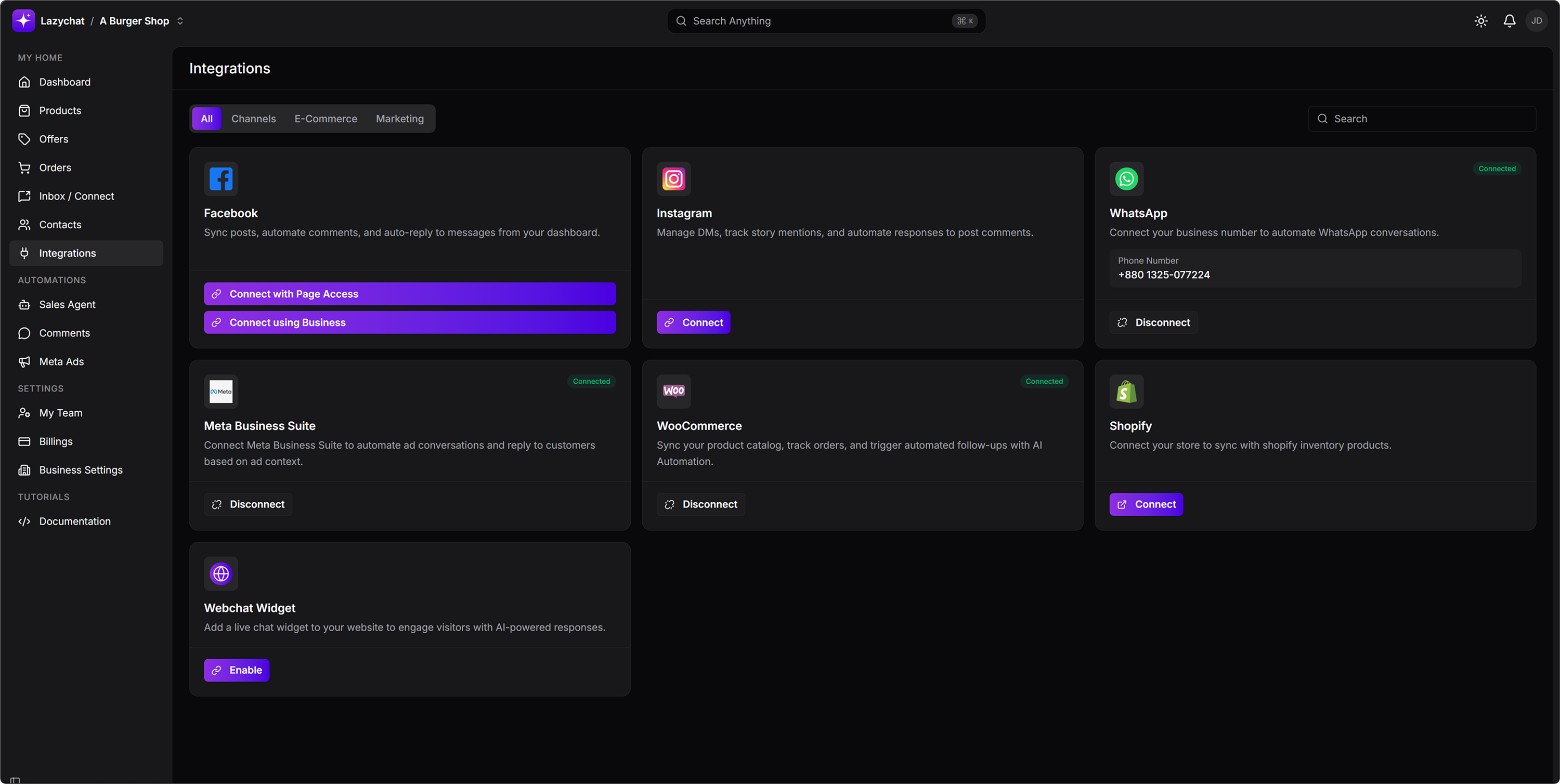
- Go to Integrations.
- Find the Facebook card.
- Click Connect with Page Access to connect your Facebook Page directly.
You may also see a Connect using Business option, but this guide follows the Connect with Page Access flow shown in the steps below.
Step 2: Select the Facebook Page
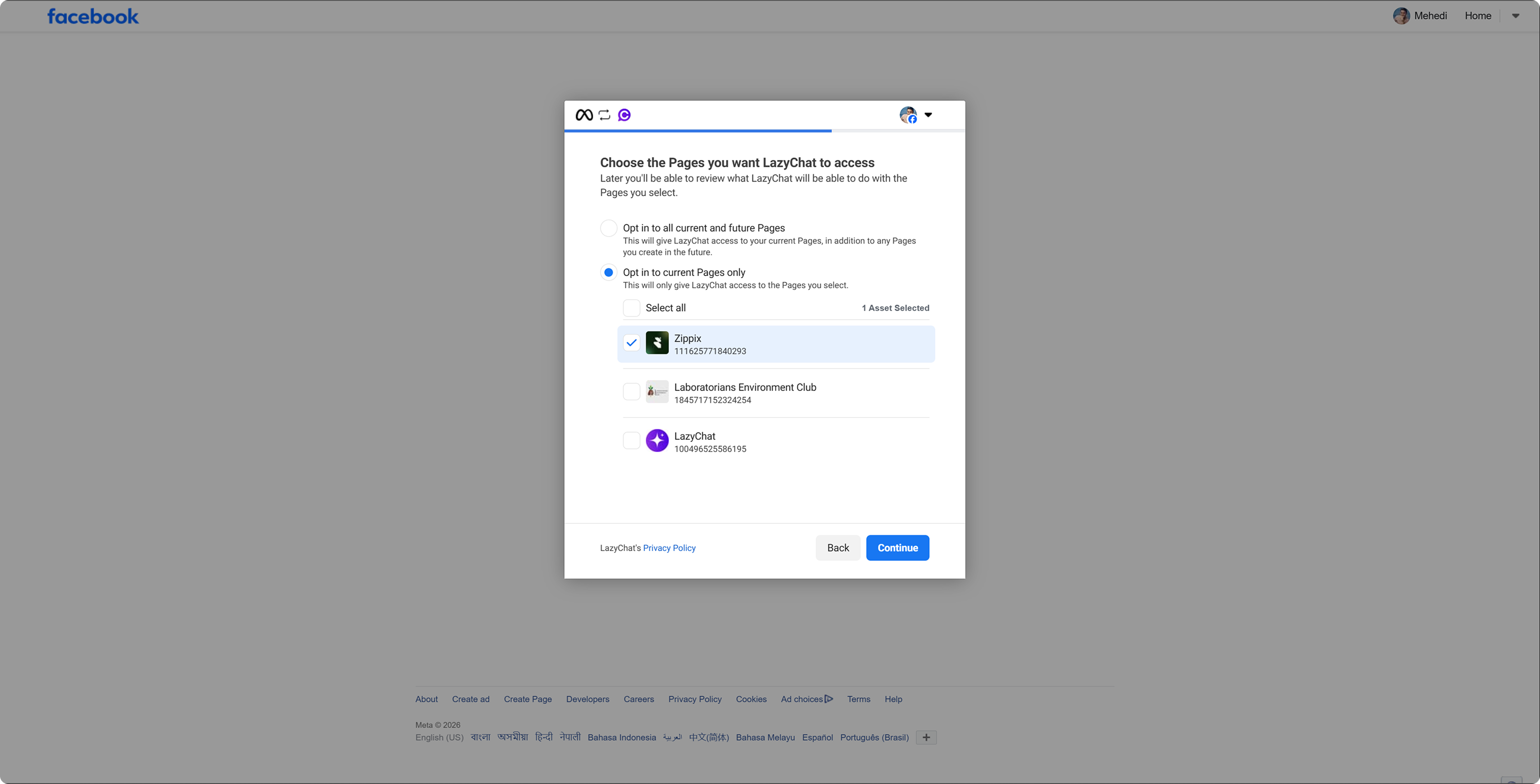 On the Facebook popup:
- Under Choose the Pages you want LazyChat to access, select the Facebook Page you want to connect.
- Click Continue.
Step 3: Review permissions and save
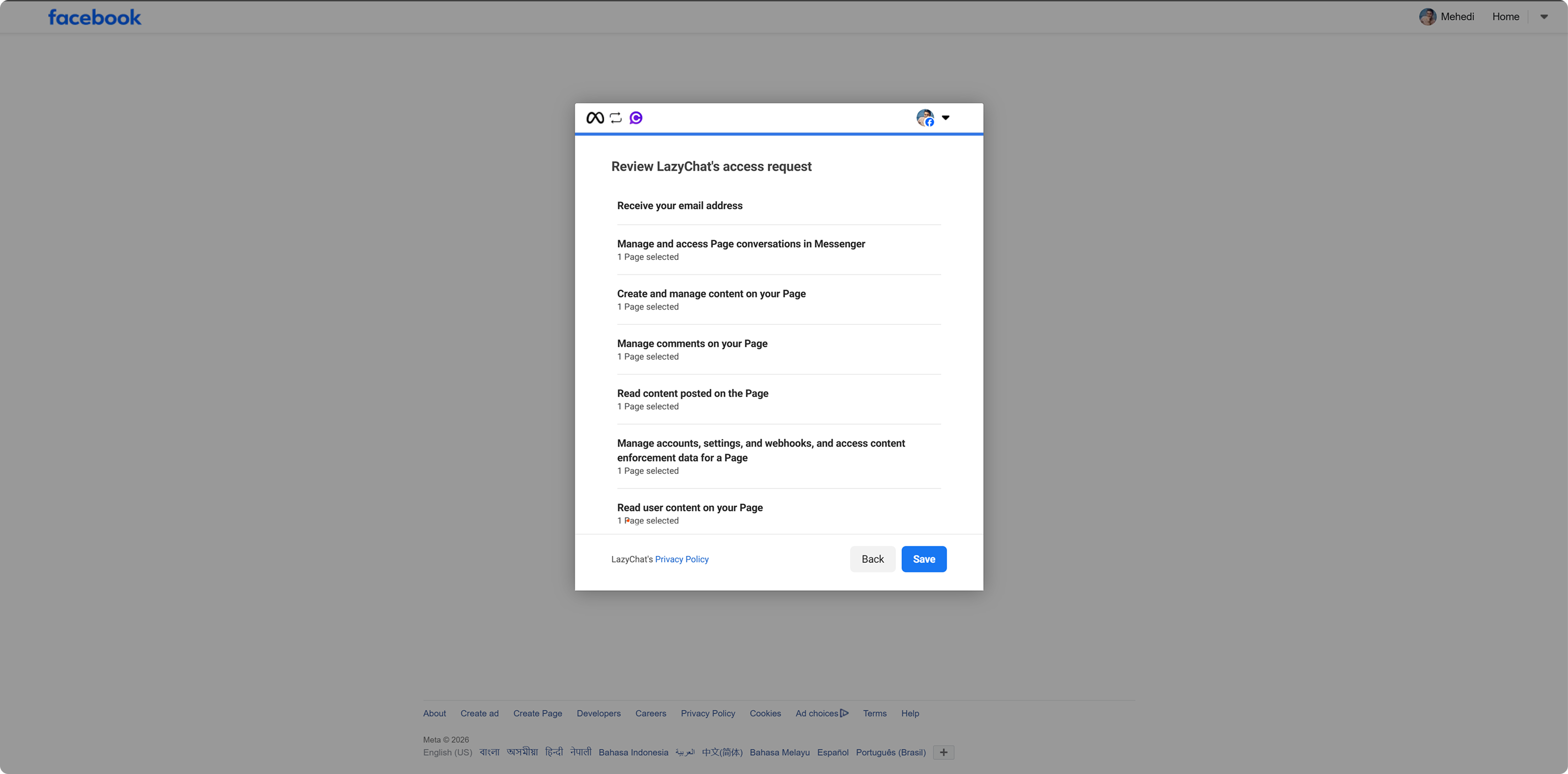 On the Review LazyChat's access request screen:
- Review the permissions requested by LazyChat.
- Click Save.
Step 4: Confirm successful connection
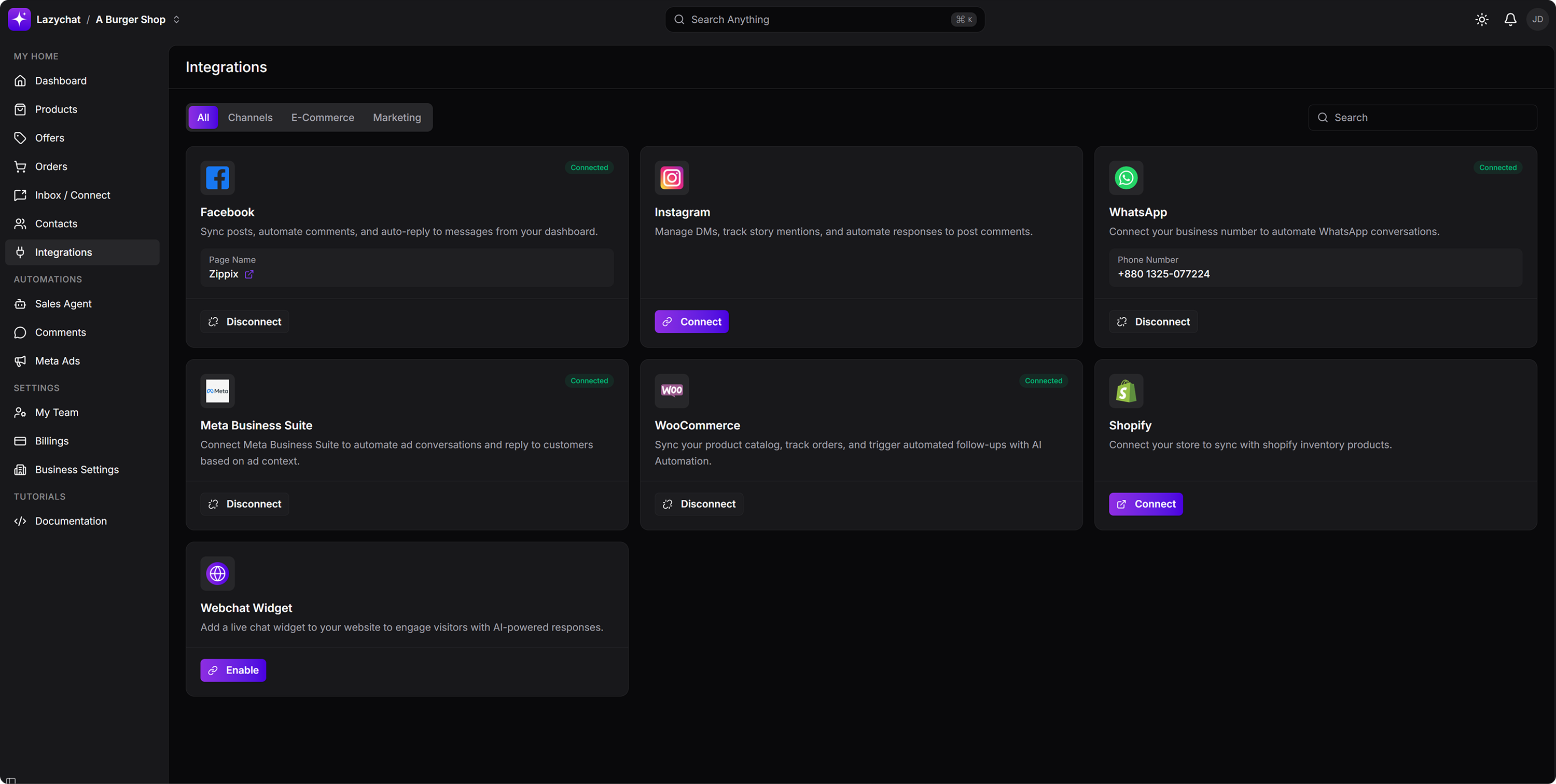 After the connection is completed, return to the Integrations page in LazyChat
You should see on the Facebook card:
- Your connected Page Name
- A Disconnect button
This confirms that your Facebook Page has been connected successfully.
Final Note
Once connected, LazyChat can sync posts, moderate comments, and auto-reply to messages directly from your dashboard.