
Overview
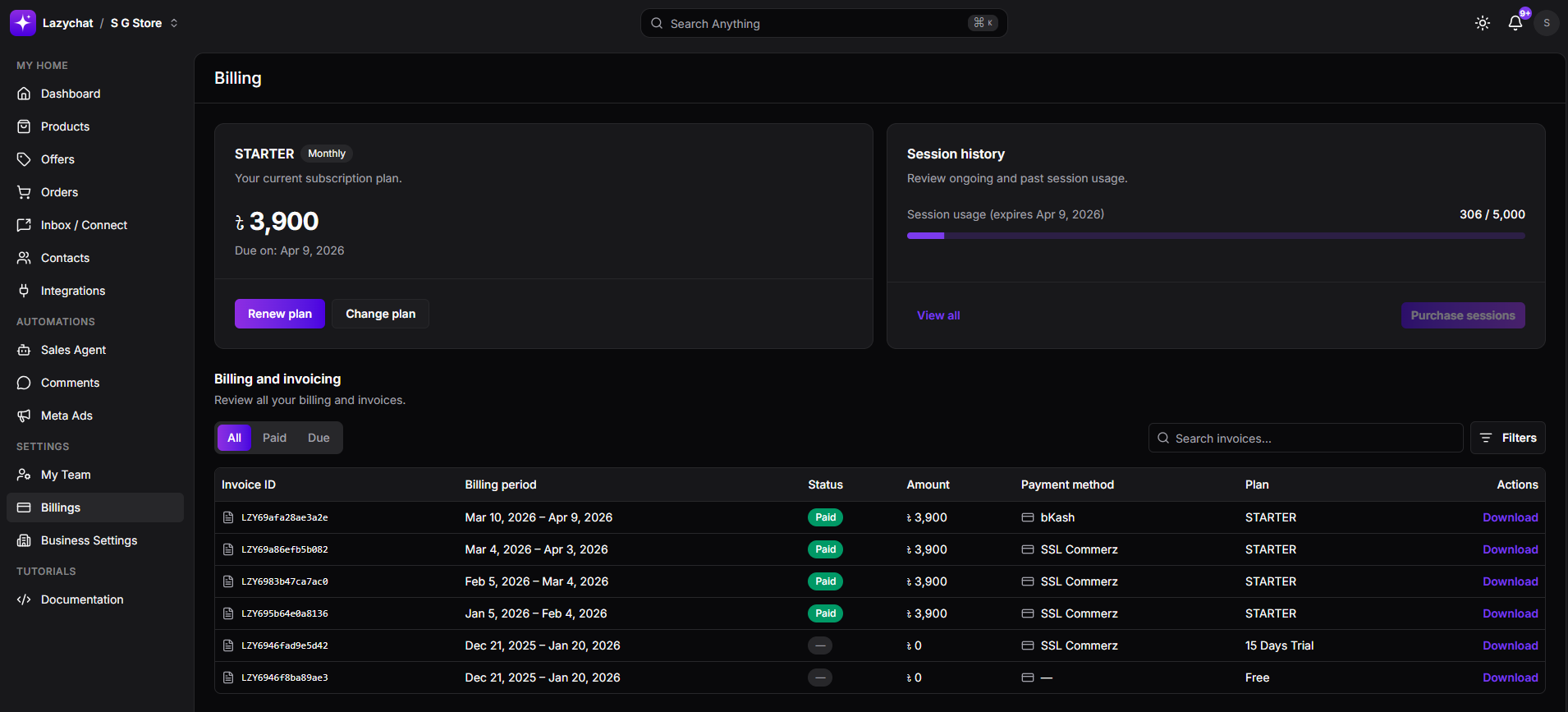
The Billing section allows you to manage your subscription, track session usage, and view invoices. From this page, you can:
- View your current subscription plan
- Check session usage
- Renew or upgrade your plan
- Purchase additional sessions
- Access invoices and billing history
Subscription Plan
Your current plan is displayed at the top.
- Shows plan name (e.g., Starter)
- Displays price and billing cycle
- Includes next due date
Important Rules
- You can renew or change your next plan only within last 7 days before the due date
- Renewing or changing the plan applies to the upcoming billing cycle, not the current active plan
- You cannot renew or change the next plan immediately after purchasing the current plan
Session Usage
The Session History section shows your message usage.
- Displays used sessions out of total allocation
- Shows expiration date of the current cycle
View Detailed Usage
Click View all to see full session details:
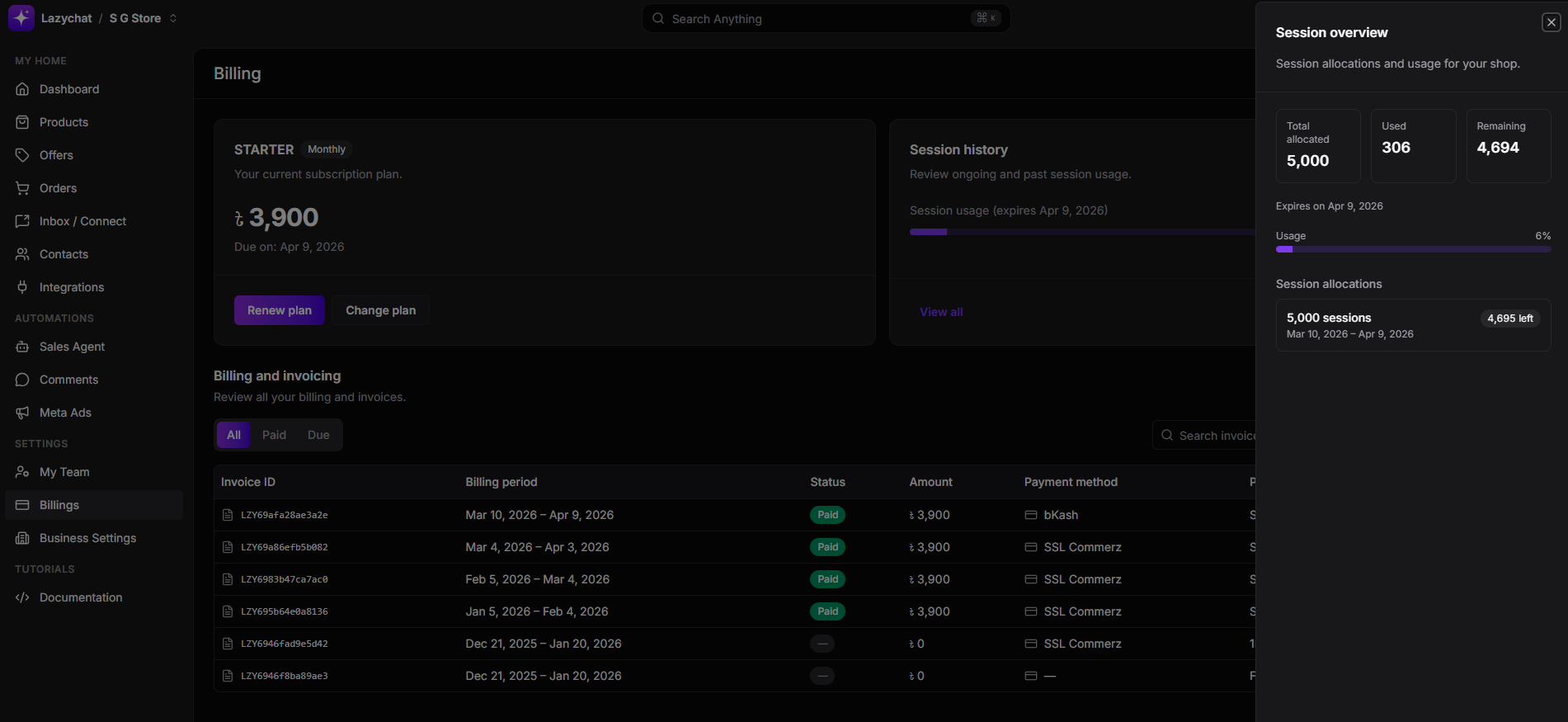
You can view:
- Total allocated sessions
- Used sessions
- Remaining sessions
- Expiry date
- Current usage percentage
Purchase Additional Sessions
If you run out of sessions:
- Click Purchase sessions
- You can buy additional sessions in the form of:
- Multiples of 1000 messages
- Up to 10,000 messages at a time
This allows you to continue using LazyChat without waiting for the next billing cycle.
Billing and Invoices
All billing records are listed in the Billing and invoicing section.
Each entry includes:
- Invoice ID
- Billing period
- Payment status
- Amount
- Payment method
- Plan type
Invoice Generation
- A new invoice is automatically generated every time a plan or session package is purchased
- You can download invoices anytime using the Download button
Final Notes
- Always monitor your session usage to avoid interruptions
- Purchase additional sessions if needed before running out
- Plan changes are restricted to the 7-day window before renewal